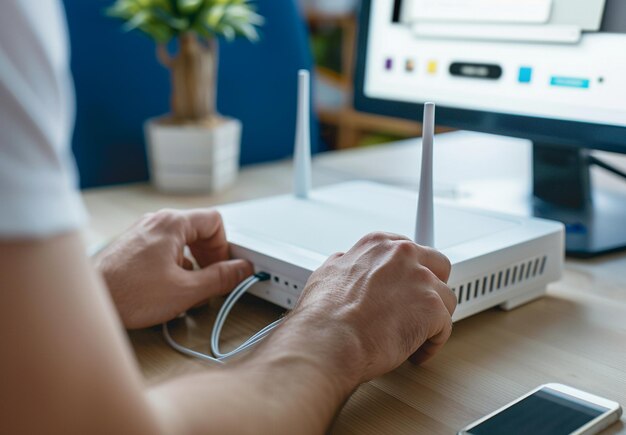
How to Reset Your Router: A Step-by-Step Guide
A router reset can solve connection problems, clear out old settings, or prepare your device for resale. But "reset" means different things depending on what you're trying to fix—and the right approach depends on your situation. Here's what you need to know before you hit that button. 🔧
What "Reset" Actually Means
Routers have two distinct options, and they do very different things:
Soft reset (restart or reboot): You power the router off and back on. This clears temporary memory, stops active processes, and can fix connection hiccups without erasing your settings. It's the first thing to try.
Factory reset (hard reset): You restore the router to its original out-of-box state. This erases all your custom settings—WiFi name, password, port forwarding rules, parental controls, everything—and returns the device to manufacturer defaults. This is more drastic and permanent.
Most connection problems resolve with a soft reset. Factory resets are for when you're troubleshooting deeper issues, preparing the router for someone else, or starting fresh after a configuration gone wrong.
How to Soft Reset Your Router ⟳
- Unplug the power cable from the back of the router.
- Wait 30 seconds. This fully drains residual power.
- Plug it back in and wait 2–5 minutes for the router to fully boot. Status lights will blink and then stabilize.
- Test your connection. Try loading a website or checking your WiFi list.
This is safe, reversible, and fixes most temporary glitches—slow speeds, devices dropping offline, or pages not loading.
How to Factory Reset Your Router
Via the reset button:
Most routers have a small recessed reset button (sometimes labeled "Reset" or "Restore"). Use a paperclip or pin to press and hold it for 10–15 seconds while the router is powered on. The lights will flash, and the router will restart. Once it boots, it's back to factory settings.
Via the admin interface:
- Open a web browser and go to your router's IP address (often 192.168.1.1 or 192.168.0.1—check your router's label).
- Log in with the default username and password (usually printed on the device).
- Look for a Settings, Administration, or Maintenance section.
- Select Factory Reset or Restore Defaults and confirm.
The admin method is gentler and gives you a moment to reconsider before it happens.
Important Variables to Consider
The impact of a reset depends on:
- What's causing your problem. Soft resets fix temporary glitches; factory resets only help if misconfiguration is the issue.
- What you've customized. The more settings you've changed (WiFi name, security encryption, guest networks, port forwarding), the more tedious it is to reconfigure after a factory reset.
- Whether you know your ISP credentials. After a factory reset, you'll need your internet service provider's username and password to get back online.
- Your router's age and model. Older routers may take longer to boot; some have quirks specific to their firmware.
When to Soft Reset vs. Factory Reset
| Situation | Best Approach |
|---|---|
| Slow WiFi, pages won't load, or devices disconnect randomly | Soft reset |
| You've forgotten your WiFi password | Factory reset (or use admin panel if you remember that password) |
| The router won't respond to any commands or seems stuck | Soft reset first; factory reset if that doesn't work |
| You're selling or giving away the router | Factory reset |
| You've made configuration changes that broke something | Factory reset, or check your router's settings menu for a "revert" option |
What to Do After a Factory Reset
After restoring defaults, you'll need to:
- Reconnect to your WiFi using the default network name and password (on the router's label).
- Access the admin panel again and log in with default credentials.
- Enter your ISP credentials to reconnect to the internet.
- Reconfigure your WiFi name, password, security settings, and any custom rules.
This is why factory resets are worth avoiding unless necessary—the setup takes time.
Before You Reset: A Checklist
- Note your current WiFi password if you might need it elsewhere (on other devices, with family members, guests).
- Write down any custom settings you've made—port forwarding, DNS changes, or static IP assignments.
- Check your router's label for the default login credentials and IP address.
- Ensure the router is plugged in and powered on during a factory reset.
A soft reset is your safe first step for almost any connection problem. A factory reset is a more serious step, but it's straightforward once you understand what it does. Know which one matches your actual problem, and you'll save yourself frustration.